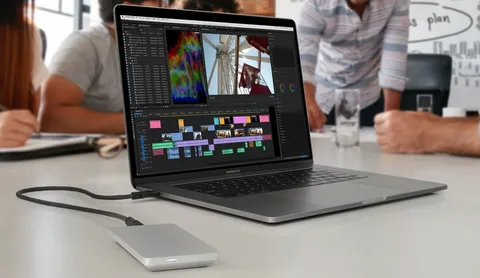
Apple’s Mac computers still draw crowds with their sleek look and reliable performance. Many see them as a top pick for quality tech. You might wonder if they hold up in today’s fast tech world. This guide covers their history, latest models, key perks, and how they fit into Apple’s bigger picture. We focus on the big switch to Apple Silicon chips and what it means for you.
Historical Overview and Evolution of Apple Silicon (M Chips)
Apple’s journey with Mac computers started years ago. It shaped how we use personal tech today. The real game shift came with their own chips.
From Intel to Apple Silicon: The Turning Point
Apple used Intel chips for years. Then, in 2020, they moved to their M1 chip. This change boosted speed and cut power use. M1 devices run cooler and last longer on battery. Now, M2 and M3 chips build on that. They handle tough tasks like video edits with ease. Users report up to 18 hours of work time on one charge.
Key Architectural Differences and Advantages
Apple Silicon uses Unified Memory Architecture. This means the CPU, GPU, and other parts share one pool of RAM. It speeds up data access. No more waiting around. Compare M1’s 8-core CPU to M3’s 8-core setup with better GPU cores. Pro versions add more power for pros. Max and Ultra chips pack even more punch. They shine in graphics work. Think smooth 3D models or quick photo tweaks.
Impact on Software Compatibility and Optimization
Rosetta 2 helps run old Intel apps on new chips. It translates code on the fly. Most apps feel native now. Big companies like Adobe update for Apple Silicon fast. This means fewer lags. Your workflow stays smooth. Over time, more software joins in. It makes the switch less scary.
Overview of the Current Mac Computer Lineup in 2024
Apple offers choices for all needs in 2024. From light laptops to heavy desktops. Pick what fits your day.
MacBook Air: Portable Power for Daily Use
The MacBook Air suits students and everyday folks. It’s light at just over 2 pounds. Battery lasts all day for classes or emails. The screen pops with bright colors. Go for the 13-inch if you travel light. The 15-inch gives more space for multitasking. Tip: Check your main tasks first. Basic web work? Base model works fine.
MacBook Pro: Performance for Pros and Creators
Pros grab the MacBook Pro for real work. The 14-inch model balances size and power. The 16-inch handles big projects. ProMotion makes the screen refresh at 120Hz. It feels fluid for edits. Cooling fans keep it from overheating during long sessions. Video pros love it for 8K cuts. 3D artists render scenes faster. Real example: A filmmaker exports a full movie in half the time versus old setups.
iMac and Mac Mini: Desktop Flexibility and Strength
The iMac packs everything in one slim body. Its colorful design brightens any desk. Great for home offices. Mac Mini hides under your setup. Add your own screen and keys. It’s cheap entry or a quiet server. Both use M chips for zippy speed. Mini suits tinkerers who swap parts.
Mac Studio and Mac Pro: Maximum Power for Demanding Tasks
Big studios pick Mac Studio for heavy lifts. It crunches data or runs simulations quick. Mac Pro goes further with slots for extra cards. Add GPUs for AI work. These target film houses or engineers. They process huge files without breaking a sweat.
macOS Operating System: Optimization and Security
macOS ties it all together. It’s simple yet strong. You get tools to work smart.
Key Features of macOS Ventura and Sonoma
Stage Manager groups your apps neatly. It cuts clutter on screen. Continuity links your devices smooth. Focus modes block distractions during work. Tip: Turn on Low Power Mode in settings. It stretches battery on the go. Sonoma adds better video calls too.
Integration with the Apple Ecosystem (Continuity)
Handoff lets you start on Mac and finish on iPhone. Universal Control moves your mouse across screens. AirDrop shares files in seconds. Sidecar turns your iPad into a second display. Picture editing on Mac, then sketch on iPad. It flows like magic. No cables needed.
Security and Privacy on macOS
Gatekeeper checks apps before they run. Secure Enclave in chips guards your data. It stops hackers cold. Privacy tools block trackers online. You control what apps see. Macs get updates for years. This keeps threats at bay.
Cost Comparison and Long-Term Value of Mac Computers
mac računala cost more up front. But look deeper. They save money over time.
Analysis of Initial Investment vs. Competition
A base MacBook Air starts at $999. Windows laptops match specs for less. Yet Apple’s build lasts. You pay for quality screen and keyboard. It’s not just hardware.
Value of Maintenance and Hardware Longevity
Apple Silicon keeps devices fast for 7-10 years. PCs often slow after 3-4. Fans stay quiet, no dust issues. Repair costs? Low if you avoid drops. Data shows Macs hold 70% value after three years.
Secondary Market and Trade-In Value
Sell your old Mac easy. Sites like eBay fetch good prices. Apple buys back too. A two-year-old model gets half its cost back. This lowers your real spend. Smart way to upgrade.
Tips for Optimizing Performance and Buying Mac Computers
Ready to buy or tune yours? Here are steps to get the most.
How to Choose the Right Configuration (RAM and Storage)
RAM matters big. 8GB handles web and docs. Go 16GB for photos or code. 32GB for video pros. Storage: Base 256GB works with cloud. Add SSD for speed. Old models had slower drives. New ones fly.
- Basic use: 8GB RAM, 256GB storage.
- Creative work: 16GB RAM, 512GB storage.
- Heavy tasks: 32GB RAM, 1TB storage.
Best Practices for Maintaining Battery Health
Charge to 80% most days. macOS has Optimized Charging. It learns your habits. Avoid full drains. Keep it cool, not in hot cars. This adds years to battery life.
Common Mistakes When Buying and How to Avoid Them
Don’t max storage if you use externals. They cost less later. Skip low RAM; you can’t upgrade. Test in store for feel. Base GPU fine for most. Overspend? Only if needed.
Conclusion: The Future of Mac Computers and Their Market Position
Mac computers blend power, smooth links, and lasting build. Apple Silicon sets new speed marks. It changes how we work and play.
Key takeaways:
- Apple Silicon redefines speed standards with top efficiency.
- Ties to iPhone and iPad boost daily ease.
- Upfront cost pays off with long use and resale.
As tech grows, Macs stay ahead. Think about your needs. Grab one if the ecosystem calls. You’ll wonder how you waited.

Related Posts